MLA Style Guidebook: 9th edition
Struggling with MLA citation format? Not sure how to cite all those sources? Need some quick and easy help?
You’ve come to the right place.
This is your ultimate guide to MLA referencing. We will make your essay formatting as easy as it can be.
How’s that possible?
In fact, very simple:
No difficult words. As a professional custom writing service, we know that all those citing rules are often described using overly academic language.
But you know what?
All those rules can be explained in a few words. Literally. And that’s what we do in our guide. If you’re in a hurry and need a quick fix, try the MLA title page maker. But if you want to master the entire citation style — follow the guide.
Examples matter. What’s the point of explaining where to put a comma if you have no idea what this is all about?
Here’s the thing:
In our guide, you will find examples of all citations in .doc files. You just download a citation sample, change data (like author’s name, book title) and get a flawless reference (and A+ as a result).
Ready to make your first perfect referencing?
Let’s start with some general rules.
General Principles of Formatting
When you write your paper in MLA format, make sure that it meets these rules:
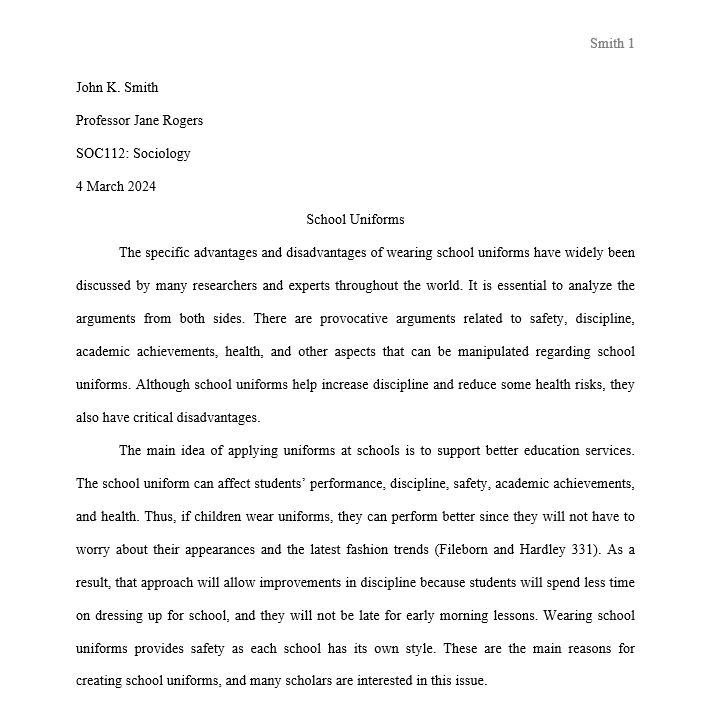
- 12 pt. font (Arial or Times New Roman)
- Double-spacing
- 1-inch margins (every side)
- First sentence in a paragraph has to be indented
- Page numbers have to be located in the upper-right corner
- Last name should appear in the upper-right header near the page number
- MLA does not require a title page
- On the first page, it is necessary to provide the MLA header in the left top corner:
- Student Name
- Professor Name
- Course
- Date
- The headings in the paper have to be formatted the following way:
- Level 1 Heading: Bold, Flush Left
- Level 2 Heading: Flush Left
- Level 3 Heading: Flush Left, Italics
General Principles of Referencing
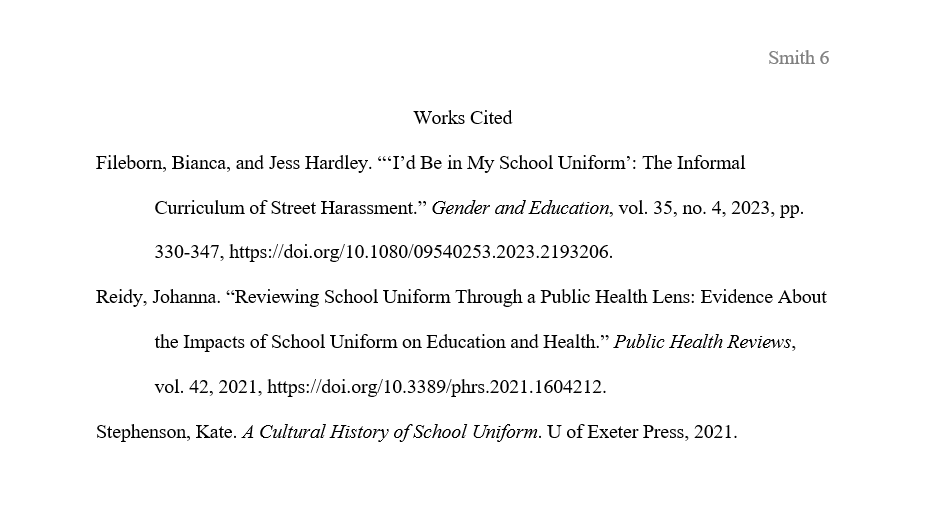
Trust us, when it comes to referencing properly, there is nothing horrifying. Just start a new page named “Works Cited”. All your sources should be written there.
Each entry is written separately and consists of core elements that are included in a specific order. There are also some optional elements that may be added depending on the situation.
Main Elements
Below is the list of the core elements in the order of how they should appear on a reference page. They are followed by the same punctuation mark that should appear after them unless it is the final element of the line, which should end with a period.
- Author.
- Title of source.
- Title of container,
- Other contributors,
- Version,
- Number,
- Publisher,
- Publication date.
These aspects are the most common elements used in the MLA citation style, but their outlook depends on the type of the publication and citation (in-text or reference list).